


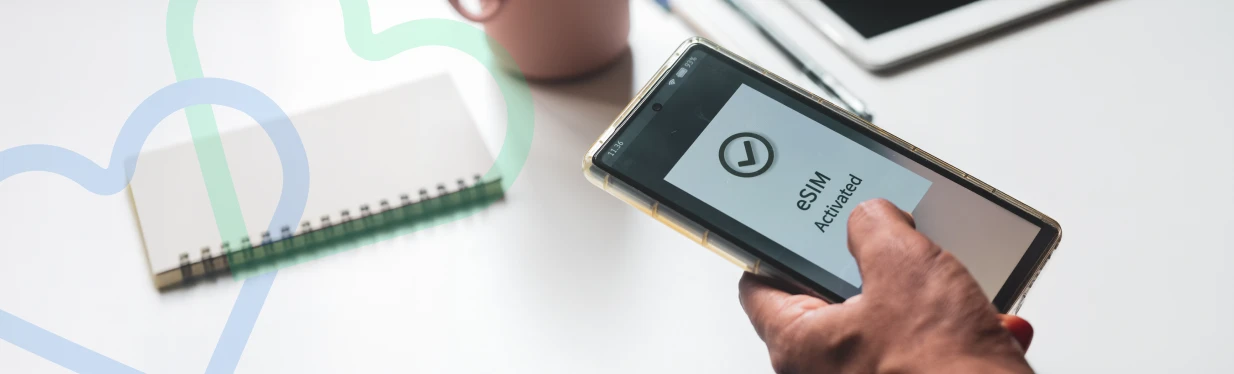
An eSIM (embedded SIM) is a digital SIM that allows you to activate a cellular plan from your carrier without having to use a physical SIM card. Unlike traditional SIM cards, which are removable and can be swapped between devices, an eSIM is embedded directly into the device. If you're wondering what is an eSIM card, it's essentially a modern way to connect your device to a mobile network without the hassle of handling plastic SIMs. Users experiencing activation problems can follow a guide on how to set up an eSIM correctly after reinstalling mobile service.
This technology offers several benefits, including the ability to switch carriers or plans without needing a new SIM card, the convenience of managing multiple profiles, and the flexibility to travel internationally without changing physical SIMs. But before jumping in, ensure you do an eSIM compatibility check to confirm your device supports it. Travelers and prepaid users can quickly buy an eSIM online for instant activation without waiting for a physical SIM card.
The Risks of Deleting an eSIM Profile
Innovative eSIM technology has been extremely convenient for cellphone users. However, it's important to understand what happens if i delete eSIM. You could face issues such as:
- Loss of cellular network
- Interruptions in services
- Difficulty adding a new eSIM
- Messaging errors
Once you understand these issues, you’ll be better equipped to avoid unnecessary disruptions.
Promo Price for 6 Months
$33 High Data Plan
$ 7.50 / 30 days
18 GB Data
- 18GB data at up to 5G speeds
- Unlimited nationwide talk & text
- Unlimited international talk & text to 100 countries
Promo Price for 9 Months
Unlimited Plus
$ 18.00 / 30 days
Unlimited Data
- Unlimited Talk & Text
- Enjoy unlimited data with full-speed access for the first 40GB!
- Includes 15GB of High-Speed Hotspot Data
Common Issues After Deleting an eSIM
- No Cellular Service
Deleting your eSIM removes the network connection, which causes no cellular service. If you’re asking how does eSIM work, the key is that it stores carrier info required to connect. Without it, your phone can’t access the network. If you switch devices frequently, learning how to transfer your eSIM can help avoid connectivity and activation issues. - Difficulty Adding a New eSIM
Trying to get an eSIM again means you'll need a new activation code from your carrier. Some carriers require in-store visits or extra verification. At Lyca Mobile, we make it simple. If you're wondering how to get eSIM qr code or how to download eSIM, our support can walk you through it. Many users are surprised by how quickly you can get an eSIM compared to traditional SIM delivery and activation methods. - Messaging & iMessage Problems (iPhone)
Deleting your profile can mess up default settings. If you’re unsure how to set up eSIM on iphone, know that it's tied to iMessage and MMS configuration. When removed, errors may occur. - Residual eSIM Profile on Device
Some devices may still show the deleted profile. While inactive, it might confuse you during future management. If you're wondering how to move around eSIM cards, it helps to remove these traces before switching.
How to Fix These Issues
General Tips:
- Confirm you have your replacement eSIM or QR code ready before deletion.
- Restart your device after deleting to allow it to refresh settings.
If you're wondering how to install eSIM or how to activate an eSIM, follow your carrier’s QR code scan or manual entry steps.
Fixes Based on Issue
- No Cellular Service: Reach out to your carrier for a new QR code. This will help you switch eSIM to regular sim or set up a new eSIM if needed.
- Difficulty Adding New eSIM: Carriers vary—always check their process. To avoid confusion, learn how to set up eSIM the correct way.
- Messaging & iMessage Issues: Check Settings > Phone > My Number. Then go to Messages > Send & Receive. If you're asking do you keep your same phone number with an eSIM, yes—you typically do. Just reconfigure these areas.
- Device Still Shows eSIM: Resetting the network settings or restarting your device can resolve ghost profiles. If you’re switching, understanding how to swap your eSIM to a new phone is crucial.
SIM for Travel & Data Use
Travelers benefit from eSIM, but how travel eSIM works is key to know. If you’re heading abroad, especially looking for eSIM for your USA travel, you can activate your plan the moment you land—just make sure to ask your provider when you go into country will eSIM activate on arrival.
Worried about internet? You might wonder how many GB of data for eSIM you’ll get or whether it supports eSIM hotspot features. These depend on your plan, so always double-check before flying. iPhone users upgrading devices may need instructions to activate eSIM on iPhone 17e after deleting or resetting their mobile profile. Travelers can also learn how to activate an eSIM for travel before departure to ensure uninterrupted international connectivity.
Final Thoughts
Deleting an eSIM should not be taken lightly. It’s essential to be prepared with a new activation code and understand how to download eSIM or how to activate an eSIM correctly. If you're switching back, understand switch eSIM to regular sim steps too.
At Lyca Mobile, our team is always ready to guide you—whether you're exploring how to use an eSIM, experiencing technical issues, or want to learn why is my eSIM not working. Once you have fixed your eSIM issues, explore our plans.