
Get a Lyca eSIM in the USA: Instant Activation. Complete Flexibility.
What is an eSIM?
eSIM is short for embedded subscriber identity module. It is a digital SIM card that is built into your phone, taking the place of the traditional plastic SIM card.
Convenience and flexibility are two major reasons to opt for an eSIM in the USA. You can purchase and activate an eSIM in 15 minutes (or less). All you need is a compatible device and a stable internet connection!
The lack of plastic or packaging makes eSIMs an eco-friendly alternative to the traditional SIM card. Make the smart and green choice and upgrade to a Lyca Mobile eSIM in the USA today!

Buy a SIM-Only Phone Plan
How to Get the Best eSIM in the USA
Becoming a part of Lyca Mobile USA is as easy as 123. You can buy the eSIM from anywhere in the world and have it activated in the US. After activation, your Lyca Mobile USA eSIM can be used in different countries listed in your plan’s terms and conditions.
eSIM Compatibility
Check whether you have an eSIM-compatible device using our list below.

Buy a SIM only plan
Choose a SIM only plan that suits you.

Activate your eSIM in the USA
Scan the QR code in the confirmation email and follow the prompts to activate your eSIM.
How to Check for eSIM Device Compatibility?
Checking your device for eSIM compatibility is easier than you think. Dial *#06# in your phone app. If you receive an EID (instead of/along with an IMEI), then your phone supports eSIMs. Alternatively, you can also check our updated list of eSIM-compatible devices below.
Apple

| iPhone Air | iPhone 17 Pro Max | iPhone 17 Pro | iPhone 17 |
| iPhone 16e | iPhone 16 Pro Max | iPhone 16 Pro | iPhone 16 Plus |
| iPhone 16 | iPhone 15 Pro Max | iPhone 15 Pro | iPhone 15 Plus |
| iPhone 15 | iPhone 14 Pro Max | iPhone 14 Pro | iPhone 14 Plus |
| iPhone 14 | iPhone SE 3 (2022) | iPhone 13 Pro Max | iPhone 13 Pro |
| iPhone 13 Mini | iPhone 13 | iPhone 12 Pro Max | iPhone 12 Pro |
| iPhone 12 Mini | iPhone 12 | iPhone SE 2 (2020) | iPhone 11 Pro Max |
| iPhone 11 Pro | iPhone 11 | iPhone XS Max | iPhone XS |
| iPhone XR | Apple Watch Ultra 2 | Apple iPad Air 3rd, 4th, 5th Generation | Apple iPad 7th, 8th, 9th, 10th Generation |
| Apple iPad Air 11 | Apple iPad Air 13 | Apple iPad mini 5th, 6th Generation | Apple Watch Ultra |
| Apple iPad Pro 13 | Apple Watch 10 | Apple iPad Pro 12.9 | Apple Watch Series 3rd, 4th, 5th, 6th, 7th, 8th, 9th 10th Generation |
| Apple iPad Pro 11 | Apple Watch SE 2nd Generation |
Samsung
| Galaxy A35 5G | Galaxy Note20 Ultra 5G | Galaxy S22 ULTRA | Samsung Galaxy S25+ | Galaxy Tab S9 Fe Plus | Galaxy Z Flip |
| Galaxy A54 5G | Galaxy S20 | Galaxy S22+ | Samsung Galaxy S25 Edge | Galaxy Tab S9 FE+ | Galaxy Z Flip 5G |
| Galaxy A55 5g | Galaxy S20 5G | Galaxy S23 | Samsung Galaxy S25 | Galaxy Tab S9 Plus | Galaxy Z Flip3 5G |
| Galaxy Flip4 | Galaxy S20 Ultra | Galaxy S23 FE | Samsung Galaxy S25 FE | Galaxy Tab S9 Ultra 5G | Galaxy Z FLIP4 |
| Galaxy Flip3 | Galaxy S20 Ultra 5G | Galaxy S23 ULTRA | Samsung Galaxy Z Fold7 | Galaxy Watch | Galaxy Z Flip4 5G |
| Galaxy Flip5 | Galaxy S20 Ultra LTE | Galaxy S23+ | Samsung Galaxy Z Flip7 | Galaxy Watch Active2 | Galaxy Z Flip5 |
| Galaxy Fold | Galaxy S20+ | Galaxy S23FE | Samsung Galaxy Z Flip7 FE | Galaxy Watch FE | Galaxy Z Flip6 |
| Galaxy Fold4 | Galaxy S20+ 5G | Galaxy S24 | Galaxy Tab Active5 5G | Galaxy Watch2 | Galaxy Z Fold2 5G |
| Galaxy Note 20 5G | Galaxy S21 | Galaxy S24 FE | Galaxy Tab S10 Plus | Galaxy Watch3 | Galaxy Z Fold2 LTE |
| Galaxy Note 20 Ultra 5G | Galaxy S21 5G | Galaxy S24 ULTRA | Galaxy Tab S10 Ultra 5G | Galaxy Watch4 | Galaxy Z Fold3 5G |
| Galaxy Note20 | Galaxy S21 Ultra 5G | Galaxy S24+ | Galaxy Tab S9 | Galaxy Watch5 | Galaxy Z Fold4 |
| Galaxy Note20 5G | Galaxy S21+ 5G | Galaxy S24FE | Galaxy Tab S9 FE | Galaxy Watch5 Pro | Galaxy Z Fold5 |
| Galaxy Note20 Ultra | Galaxy S22 | Samsung Galaxy S25 Ultra | Galaxy Tab S9 FE 5G | Galaxy Watch6 | Galaxy Z Fold6 |
Android
| PIXEL | HUAWEI | OPPO | MOTOROLA | XIAOMI | SONY | OnePlus | NOKIA | VIVO |
| Pixel 3 | HUAWEI Mate 40 Pro | OPPO Find X5 Pro | moto g54 5G | Xiaomi Note 13 Pro 5G | Sony Xperia 10 III Lite | OnePlus 11 | Nokia XR21 | vivo X90 Pro |
| Pixel 3 XL | HUAWEI P40 | OPPO Find X5 | motorola edge 40 neo | Xiaomi Note 13 Pro+ 5G | Sony Xperia 10 IV | OnePlus 12 | Nokia X30 | vivo V29 |
| Pixel 3a | HUAWEI P40 Pro | OPPO A55s 5G | motorola edge 50 ultra | Xiaomi Note 14 Pro+ 5G | Sony Xperia 10 V | OnePlus 13 | Nokia G60 5G | vivo X100 Pro |
| Pixel 3a XL | HUAWEI Pura 70 Pro | OPPO Find N2 Flip | motorola razr 2023 | Xiaomi 12T Pro | Sony Xperia 1 IV | OnePlus Open | vivo X80 Pro | |
| Pixel 3XL | OPPO Find N3 | motorola razr 2024 | Xiaomi 13 | Sony Xperia 5 IV | vivo V29 Lite 5G | |||
| Pixel 4 | OPPO Find N3 Flip | motorola edge 50 fusion | Xiaomi 13 Pro | Sony Xperia 5 V | vivo V40 | |||
| Pixel 4 XL | OPPO Reno 9A | moto g53 5G | Xiaomi 13T | Sony Xperia Ace III | vivo V40 Lite | |||
| Pixel 4a | OPPO Reno 6 Pro 5G | motorola razr+ | Xiaomi 13T Pro | Sony Xperia 1 VI | vivo V40 SE 5G | |||
| Pixel 4a (5G) | OPPO Reno 5A | moto g84 5G | Xiaomi 14 | |||||
| Pixel 5 | OPPO Find X3 | moto g34 5G | Xiaomi 14 Pro | |||||
| Pixel 5a | OPPO Find X3 Pro | Cancun5G23 | Xiaomi 14T | |||||
| Pixel 6 | motorola razr 50 ultra | Xiaomi 14T Pro | ||||||
| Pixel 6 Pro | motorola edge 40 | Xiaomi Watch 2 Pro | ||||||
| Pixel 6a | ||||||||
| Pixel 7 | ||||||||
| Pixel 7 Pro | ||||||||
| Pixel 7a | ||||||||
| Pixel 8 | ||||||||
| Pixel 8 Pro | ||||||||
| Pixel 8a | ||||||||
| Pixel 9 | ||||||||
| Pixel 9 Pro | ||||||||
| Pixel 9 Pro Fold | ||||||||
| Pixel 9 Pro XL | ||||||||
| Pixel Fold |
Others
| Sharp | ZTE | HONOR | Fairphone | OUKITEL |
| Sharp AQUOS sense8 | ZTE Nubia Flip | Honor Magic 4 Pro | Fairphone 5 5G | OUKITEL WP30 Pro |
| Sharp AQUOS wish | Doogee V30 | Honor Magic 5 Pro | Fairphone 4 | OUKITEL WP33 Pro |
| Sharp AQUOS wish2 | Rakuten Hand | Honor Magic 6 Pro | V30 | |
| Sharp AQUOS 06 | Rakuten Big | Honor Magic V2 | ||
| Sharp Sharp AQUOS R7 | Rakuten Big S | Honor Magic V3 | ||
| Sharp Sharp AQUOS R8 | Rakuten Hand 5G | Honor 90 | ||
| Sharp AQUOS wish3 | Rakuten Mini | Honor X8 | ||
| Sharp Sharp AQUOS R8 Pro | Honor 200 | |||
| Sharp AQUOS sense7 Plus | Honor 200 Pro | |||
| Sharp AQUOS sense7 | ||||
| Sharp AQUOS sense4 lite | ||||
| Sharp AQUOS sense6 | ||||
| Sharp AQUOS zero6 | ||||
| Sharp AQUOS sense6s |
How to Install Your eSIM
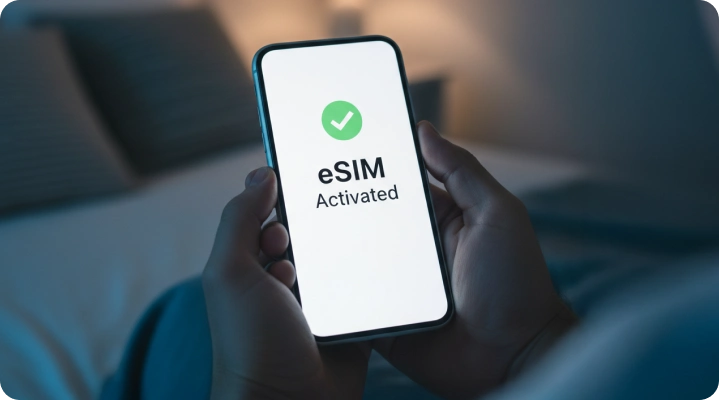
All you have to do is connect to a stable internet connection and scan the QR code sent in the confirmation email. Then, follow the instructions to activate your Lyca Mobile eSIM in the US. Read our detailed guide for device-specific information.
Download the Lyca Mobile
USA App
 View data balance, credits, usage details, and more! Be the first to know about exciting offers and discounts Set up auto-renewal and get recharge/top-up reminders



What Our eSIM Gets You
- International Calling Benefits: Most of our plans come with international calling and texting benefits to Mexico, Canada, and 100 other countries.
Dedicated Hotspot Data: Use your device as a hotspot without worrying about draining your monthly data allowance.
Bonus Credit: Get bonus international credit and enjoy uninterrupted services.


Why Go for a Lyca Mobile eSIM in the US

Instant Activation from Anywhere!
eSIMs are 100% digital! No more visiting the store or waiting for the SIM to arrive.

Multi-Profile Flexibility
Have multiple Lyca eSIM profiles in the same device and use them as per your convenience.

Better Security
eSIMs provide enhanced security as they cannot be easily cloned or physically swapped.
What Our Customers Are Saying
View our recent blogs

Step-by-Step Guide on How to Buy an eSIM online
25 September, 2024 | by Aafiya Saba
How to set up an eSIM: Everything you need to know?
27 March, 2025 | by Simran Singh

Traveling with eSIM: How It Works and Why You Need One
5 May, 2025 | by Aafiya Saba
Frequently Asked Questions About Lyca US eSIM
What is an eSIM?
An eSIM is a digital version of the traditional physical SIM card. As it is embedded in your device, you just have to download a SIM profile from an operator of your choice and have it activated digitally. eSIMs are also an eco-friendly alternative, as they eliminate the need for plastic and packaging, two aspects related to physical SIM cards.
How to activate an eSIM on an iPhone?
Here are the steps to activate an eSIM on your iPhone:
Connect to a stable internet connection.
Open the Camera app.
Scan the activation QR code in your confirmation email.
Click on the link and follow the prompts to activate your eSIM.
Follow the steps below if you’re facing issues with activating an eSIM through the camera app.
Connect to a stable internet connection.
Open the Settings app.
Tap on Cellular.
Tap on Set up Cellular/Add eSIM.
Select Use QR Code.
Scan the activation QR code in your confirmation email.
Follow the prompts to activate your USA eSIM.
How does an eSIM work?
An eSIM works just like a physical SIM card, with the only exception being that the eSIM is 100% digital. The eSIM comes pre-installed in your device and just requires a SIM profile from the network operator. Unlike a physical SIM card, you can store multiple SIM profiles with different numbers and plans in your device and activate them as and when you need.
How to transfer an eSIM from one iPhone to another?
Here’s how you transfer an eSIM from one iPhone to another:
Connect to a stable internet connection.
Open the Settings app.
Tap on Cellular.
Tap on Set up Cellular/Add eSIM.
Select Transfer from Nearby iPhone.
Tap on Transfer Number.
On your new iPhone, tap on Transfer when you get the prompt to transfer your phone number.
On your old iPhone, tap Ok in the prompt that appears.
Double-click on your new iPhone when prompted and wait for the process to be completed.
How to activate an eSIM on an Android device?
Here is how you normally activate an eSIM on your Android device.
Connect to a stable internet connection.
Open the Camera app. (You can also use the Scanner app to access the link in the QR code.)
Scan the activation QR code in the confirmation email sent to your registered email address.
Click on the link and follow the prompts to activate your USA eSIM.
Follow the steps below if you’re unable to activate your eSIM through the Camera app.
Connect to a stable internet connection.
Open the Settings app.
Tap on Network & Internet/Connections.
Tap on Mobile Network/Network & Internet.
Tap on Add eSIM.
Tap on Scan QR Code.
Scan the QR code from the confirmation email.
Follow the prompts to activate your Lyca USA eSIM.
How to transfer eSIM from an iPhone to an Android device?
Here is how you can transfer an eSIM from your iPhone to an Android device.
Open the Settings app on your Android device.
Tap on Network & Internet.
Tap on SIMs/SIM Manager.
Select Transfer a SIM from another device.
Select iPhone.
A QR code will appear on the screen. Scan the QR code using your iPhone and follow the prompts to complete the activation process.
Does the iPhone 17 support eSIMs?
Yes, the iPhone 17 supports eSIMs. Some models sold in the US are eSIM only, while models sold in other parts of the world support one Nano SIM and an eSIM.
What is the difference between an eSIM and a physical SIM card?
The main difference is that an eSIM comes embedded in a smartphone, whereas a physical SIM card has to be manually inserted. Both have the same function, which is to connect you to the mobile operator’s network, allowing you to use call, text, and data services. Also, not all devices support eSIMs, which is not the case with the physical SIM cards, as they have been the norm for many years.
Can tourists use a USA eSIM in the United States?
Yes, tourists can use a USA eSIM in the United States to make/receive calls and send/receive messages throughout the country. The data included is useful for navigation, accessing ridesharing apps, video calling, scrolling and sharing content on social media, and more
Can I buy a USA eSIM before arriving in the United States?
Yes, you can buy a USA eSIM online before you arrive in the United States. Just purchase the eSIM in your home country and activate it in the USA using the airport’s free Wi-Fi.
How fast can I activate a USA eSIM?
You can activate a USA eSIM in less than 15 minutes. Just connect to the internet, scan the activation QR code, and follow the prompts to successfully activate your USA eSIM.
Will I get a US phone number with my eSIM?
Yes, you will get a US phone number with your eSIM. The number can be used across the USA for making/receiving calls and sending/receiving messages.
Can I use my home SIM card and USA eSIM together?
Yes, you can use your home SIM card and a USA eSIM together as long as your smartphone supports it. The home SIM card can be used for verification purposes, while the eSIM takes care of all your call, text, and data needs in the US.