



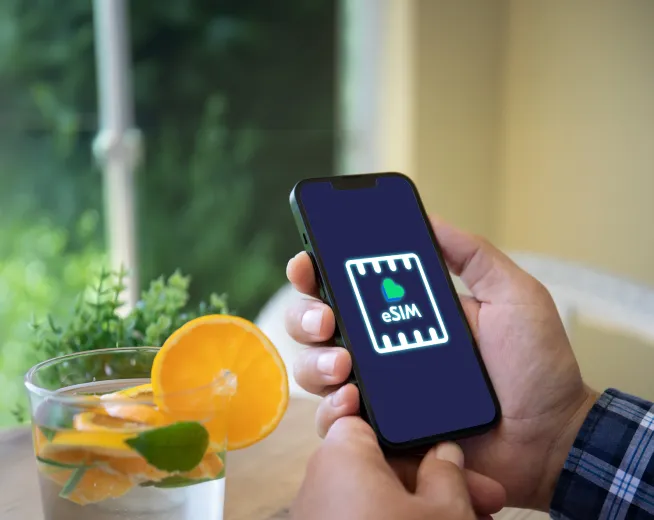
With the delivery of iOS 26.4 on March 24, 2026, Apple iPhone users are facing some big changes in the way their devices utilize connectivity, artificial intelligence functions and system aesthetics. For Lyca Mobile customers, this is especially relevant as the update features important carrier-side changes and a rework for testing the new 5G features.
Here’s how to get the most from your Lyca Mobile service on the new firmware.
Are Lyca Mobile & USA iOS 26.4 Supported?
Yes. The new iOS 26.4 will work with every iPhone from iPhone 11 onwards, including the recently launched iPhone 17. For Lyca Mobile users, the update is highly recommended because it delivers Carrier Settings 60.x, which, among other things, addresses the “missed character” keyboard bug and improves signal “latching” when moving between 5G and LTE zones.
Pro Tip: At the end of the installation of iOS 26.4, head to Settings > General > About. If a carrier update is available, a pop-up will take 30 seconds or so to appear. Tap Update, and your antenna will be tuned to the latest Lyca 5G frequencies.
Promo Price for 6 Months
$33 High Data Plan
$ 7.50 / 30 days
18 GB Data
- 18GB data at up to 5G speeds
- Unlimited nationwide talk & text
- Unlimited international talk & text to 100 countries
Promo Price for 9 Months
Unlimited Plus
$ 18.00 / 30 days
Unlimited Data
- Unlimited Talk & Text
- Enjoy unlimited data with full-speed access for the first 40GB!
- Includes 15GB of High-Speed Hotspot Data
Setting Up Your Lyca Mobile eSIM on iOS 26.4
Activating an eSIM has become slightly simpler on this version of iOS. Do the following:
- Sign on to a Wi-Fi network: activating an eSIM over a cellular-only connection is not possible.
- The OLD QR Code Path: Settings > Cellular > Add eSIM.
- Select Scan and Go: Choose Use QR Code and scan the code sent to your registered email.
- The NEW QR Code Path: If FaceID fails to scan the code, tap Enter Details Manually at the bottom of the screen. Require SM-DP+ Address and Activation Code. Lyca would have emailed these with your welcome email from Lyca Mobile.
Switching? Physical SIM to eSIM?
In 2026, use the My Lyca Mobile portal to switch. Log in, select SIM Management, and “Swap to new eSIM”. Your new QR code will arrive in your email once you verify your OTP.
5G and APN Settings
APN settings for most iPhones are automated these days, but sometimes larger iOS updates, such as 26.4, do reset manual settings, causing “No Data / no MMS”, etc.
The 2026 iPhone APN settings
Search Apple’s “The 2026 version of iOS”. If your data isn’t working, go to Settings > Cellular > Cellular Data Network and enter:
| Field | Setting |
|---|---|
| APN | data.lycamobile.com |
| Username | lmus |
| Password | plus |
| MMSC | http://lyca.mmsmvno.com/mms/wapenc |
Enable 5G SA?
iOS 26.4 allows for better 5G Standalone Support.
- 5G Without LTE Anchor: This allows your iPhone to stay on 5G without the LTE anchor, leading to faster speeds in dense areas.
- Path: Settings > Cellular > Cellular Data Options > Voice & Data > 5G On or 5G Auto.
- Toggle 5G Standalone to ON for best performance on the Lyca/T-Mobile network.
International Roaming and 2026 Features
One of Lyca Mobile's biggest strengths in 2026 remains choosing a SIM plan for free roaming internationally.
- India Roaming: Heading to India? Lyca's latest Unlimited International Plans (starting from about $29–39) now come with any data buckets for roaming in India, so you can skip on buying a local SIM when you get there.
- CarPlay Integration: Now, on iOS 26.4, you can use conversational AI apps, like Claude and Gemini, hands-free through CarPlay. This is a big convenience bonus for Lyca users who need to check international rates or data balances via voice while on the go!
Troubleshooting Common iOS 26.4 Issues
- No Service Post Update: Toggle Airplane Mode in Settings off and on again for 30 seconds. If that doesn’t work, try going to Settings > General > Transfer or Reset iPhone > Reset > Reset Network Settings (this will wipe your saved Wi-Fi passwords).
- Battery Drain: If your battery’s draining too fast, update to iOS 26.4, which has the flashy new Liquid Glass interface with lots of animations or go Settings > Accessibility > Motion and turn on Reduce Motion if you want to lessen the different effects.
- Stolen Device Protection: This is switched ON by default. If you’re trying to switch your SIM or change Apple ID settings while at a Lyca retail store, be aware that you may be affected by at least a one-hour security delay if you’re not at a familiar location such as home or work.